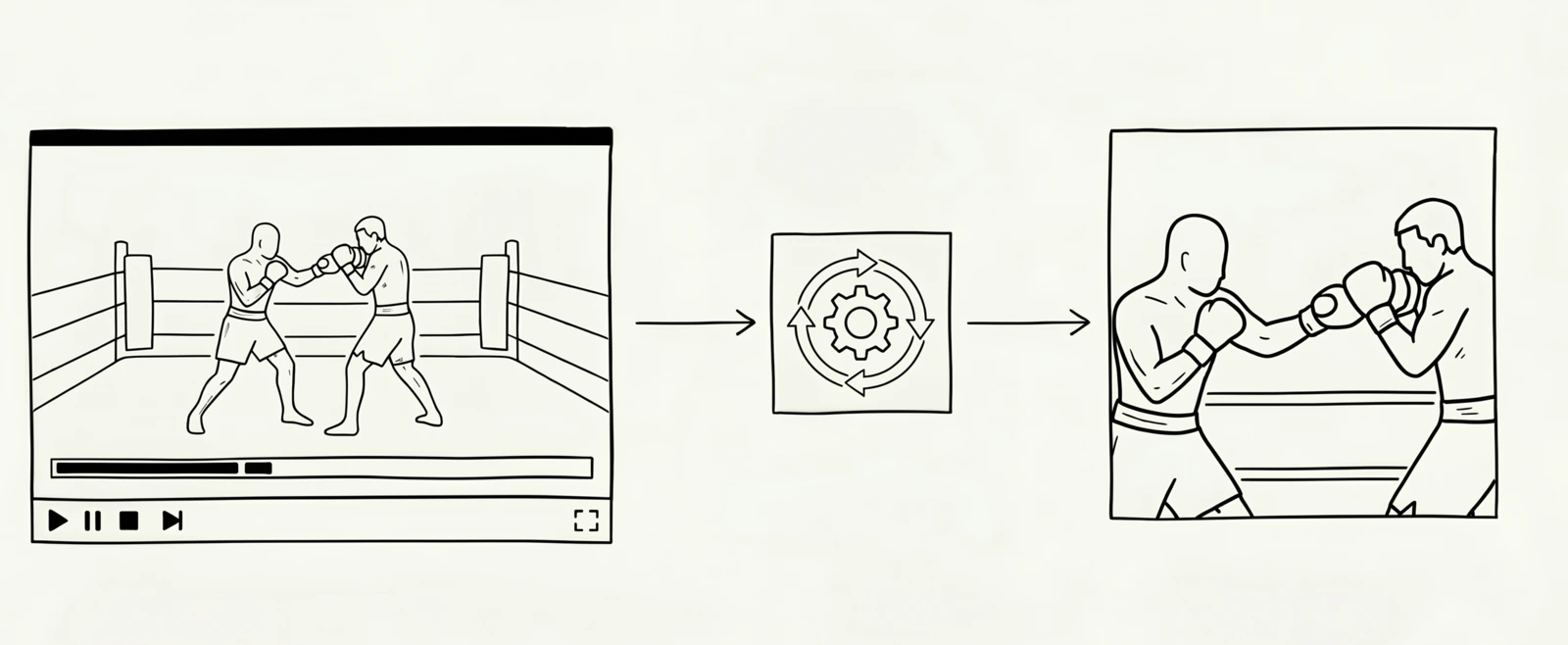
A while ago I needed to start producing short looping video clips for a work project. It’s an app that involves collecting cards with real-life sport moments that we’ve been building. Each card needs a square clip of a moment. 512 pixels square, no audio, a couple of seconds long, sized and compressed to autoplay on a card without anyone noticing the bandwidth. We started as a team of three. We didn’t have an artist. We had lots of these to ship with more coming every week.
I started out doing it the dumb way, in a free desktop video editor. Scrub through the broadcast, find the right couple of seconds, mark in and out, drag and crop to 1:1, export with the right settings, realise the broadcast scoreboard was in shot the whole time, do it again. About ten minutes per clip when nothing went wrong. Definitely not the thing I should be spending an afternoon on every week. So, of course, this xkcd came to mind.
The slow part of this task is flexibly driving the tools and iterating on the result. That’s a shape of work LLMs happen to be well-suited to. I thought I’d have a go at building it as an agentic workflow: a loop where the model runs the steps, checks its own output, and stops to ask me when a human call is needed.
What the clips are for
A short detour, since it informs the constraints. The app shows cards, and each card has its own small video clip of a moment. The footage is from broadcast video, which means a fixed scoreboard, a timer, and a league logo welded to every frame. None of that can be in the final clip. The crop has to be square, has to keep the action tightly in frame for the whole duration, and has to lose the HUD entirely.
The workflow
I ended up building a Claude Code slash command called /extract-moment. You point it at a video file and a time range (/extract-moment full_broadcast.mp4 1:28 1:34) and it walks through four steps, allowing the human to verify the result of each step before moving on.
1. Sample the range. ffmpeg pulls five evenly-spaced stills from the clip window. This is cheap, and it’s the moment to catch a mis-typed timestamp before doing any real work. A glance at five frames tells you whether you got the right two seconds of the action or whether it needs some adjustment. Claude reads the stills too and will usually flag when the clip contains something it shouldn’t, like a full-screen graphic or a change of camera angle.
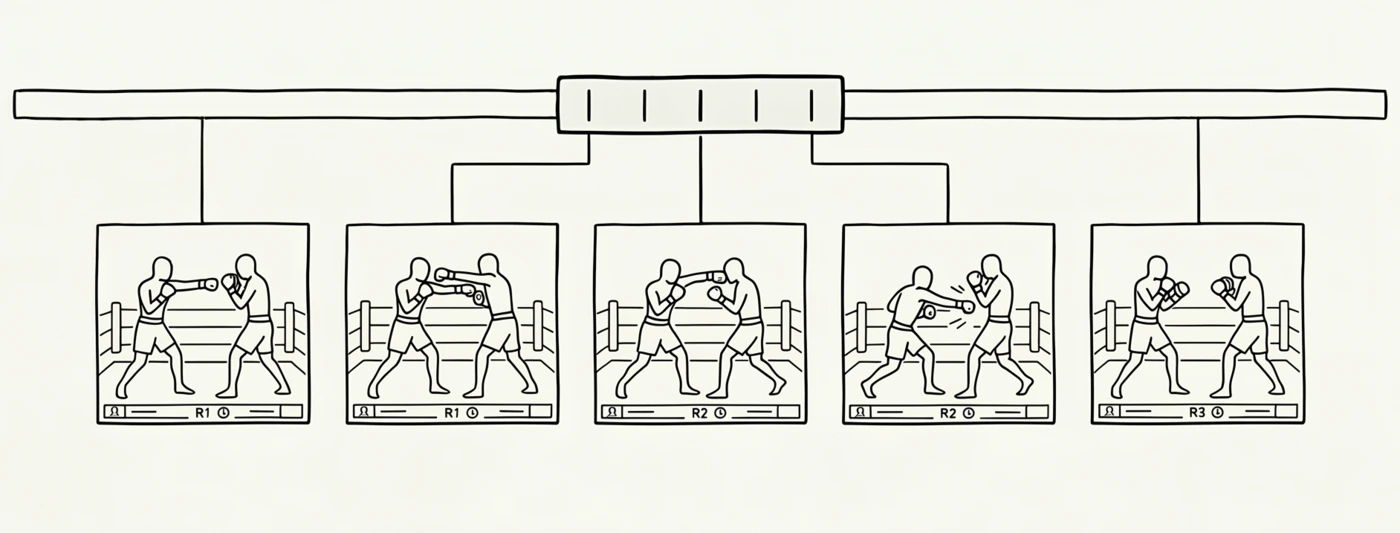
We get 5 evenly-spaced stills from the clip window to review we got it right.
2. Find one crop that works for every frame. This is the slow bit by hand and the interesting bit with Claude. It looks at the 5 stills, picks a crop size and position that might work across all 5 stills, applies it, looks at the result, notices one athlete is half out of shot, adjusts X, tries again, etc. Three to five iterations is normal. As the human, you can nudge it in natural language (“pan left a bit”) and sign it off.
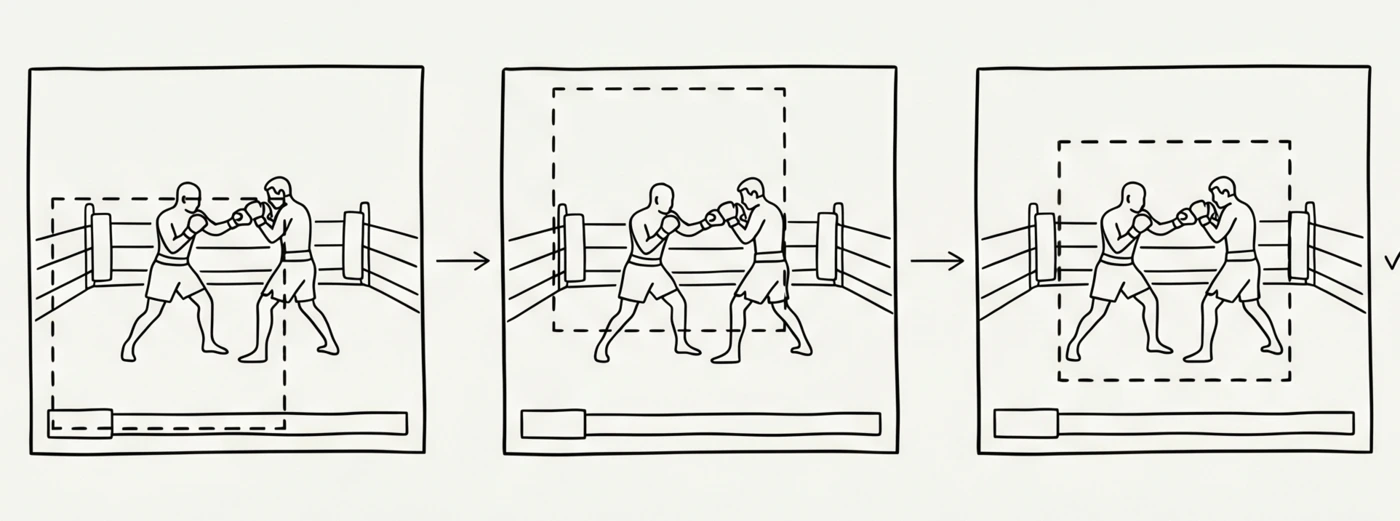
Iteration of finding a cropping window. Claude drives the loop and I sign it off.
3. Encode the final clip. Once the crop is approved, the workflow runs ffmpeg to apply it to the source video, scales to 512×512, encodes WebM, strips audio, and saves the file in the project with the correct filename.
4. Save a summary. Start, end, crop coordinates. Saved to a file so future me can make edits to the same moment without rerunning the iteration loop.
Per clip, this takes me from 10 minutes of clicking around in a video editor to 2-3 minutes of guided iteration. The real bonus is that I can run five of these in parallel on separate sessions, so a batch of ten now takes closer to 20 minutes than half a day.
Why an agent beats a script here
The question is “couldn’t a simple bash script do that?” A couple of reasons I think an LLM does it better:
Claude can see the images. It actually looks at the extracted stills and reasons about where the action is in the frame, whether the previous crop clipped someone’s foot, whether the HUD is still visible. A script can run ffmpeg all day, but it can’t tell you the crop was wrong. Not always perfect, but it saves a lot of time.
Claude iterates on its own output. It proposes a crop, looks at the result, notices what’s wrong, adjusts a number, tries again. I’m verifying the final output of each stage, but I’m not driving the propose-check-adjust cycle anymore, Claude is. A script would need a human at the wheel for every step of that loop.
The hard part is judgement, not execution. Figuring out ffmpeg arguments is the slow bit; deciding whether a crop looks right at a glance is the fast bit. Claude handles the slow bit and helps with the fast bit; I confirm its work. The two stops for human approval (clip range, then crop) are deliberate. I want to verify rather than drive.
How I build these commands
The pattern I use for building slash commands like /extract-moment has four steps, and the order matters.
- Blunder through it once. First time round, I don’t try to design a clean command. I open a normal Claude conversation and work the problem end-to-end on a real example. I want to get to a good working result, not a clean abstraction.
- Ask Claude to summarise the session into a command. Once it works, I ask Claude to write the conversation up as a slash command, an
.mdfile under.claude/commands/. It already has the context from the session it just did, and the steps are usually right on the first go. - Test for real. I open a new chat, run the command on new inputs, and start producing real outputs.
- Fold in fixes as I hit them. When something doesn’t work as well as it should, I tell Claude to update the command file at the end of the run. The command is improved for next time.
I like this loop because it skips the cost of designing upfront, and the command ends up encoding real lessons from real failures rather than imagined ones. For instance, early versions of the command had no guidance about the HUD constraint at all. I added that line after the third time we cropped a clip that still had the timer in it.
Wrap-up
This shape of task (multi-tool, iteration-heavy, judgement in the middle, needing eyes on the output to know if the last step worked) is everywhere once you start looking for it. A script can only automate so far. A person can do the job manually, but slowly, and only one at a time. LLMs with vision and a couple of CLI tools can do it quickly, and in parallel. Eventually this could even roll into a simple web app or tool to make it more graphical.
If you’ve got a tedious job you do many times a month that seems non-trivial to automate with conventional tools, you might have a slash command - and a small agent - waiting to be written.